This episode is brought to you by Popup Maker & WP Fusion
Boost Your Website’s Leads & Sales with Popup Maker
Get started for free or save 15% OFF Popup Maker Premium—the most trusted WordPress popup plugin to grow your email list and increase sales conversions.
Automate Your WordPress LMS & CRM with WP Fusion
Connect your website to your CRM, automate your marketing, and personalize your students’ learning journey. Save 15% OFF WP Fusion with coupon code LIFTERLMS.
In this LMScast episode, Chris Badgett discusses how clever popups may be effective tools for increasing course sales. Also, learner success on an LMS website.
Chris illustrates why popups should assist, support, and customize the student experience rather than just interrupting users for marketing goals by using Popup Maker in conjunction with LifterLMS.
He investigates tactics including employing targeted upsells or cross-sells following course completion, providing discounts or lead magnets to reluctant customers, and recovering abandoned carts with exit-intent popups.Chris places a strong emphasis on student engagement in addition to sales, demonstrating how popups may greet new students, promote community involvement, assist students in picking up where they left off, or offer extra assistance when students seem to be having trouble with a subject.
Additionally, he talks about creating tailored learning experiences by utilizing behavioral triggers like quiz scores, time spent on sites, course progress, cart value, and membership engagement.The program also discusses gamification strategies like Easter eggs and celebration popups, free course lead magnets, and operational notifications like event reminders, time-limited deals, or geotargeted pricing depending on purchasing power. Chris stresses throughout the conversation that the best popups are purposefully created to enhance user experience, offer value, and assist students in successfully completing their learning journey rather than seeming invasive or bothersome.
2025 WordPress LMS Buyer’s Guide
Exclusive Download! Stop wasting time and money researching online course and membership site tech.
Here’s Where To Go Next…
Get the Course Creator Starter Kit to help you (or your client) create, launch, and scale a high-value online learning website.
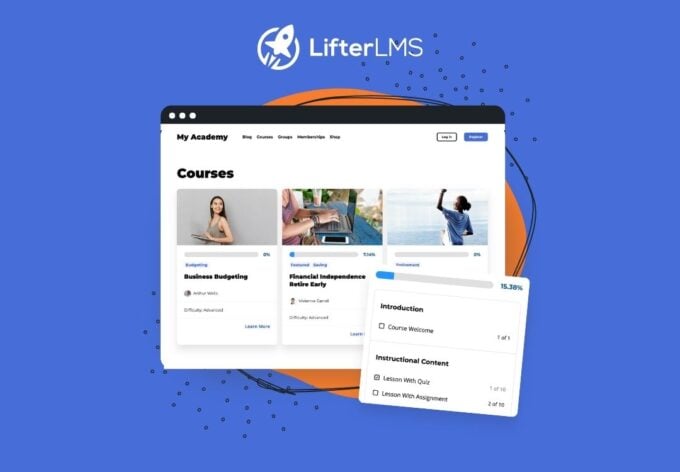
Also visit the creators of the LMScast podcast over at LifterLMS, the world’s leading most customizable learning management system software for WordPress. Create courses, coaching programs, online schools, and more with LifterLMS.
Browse more recent episodes of the LMScast podcast here or explore the entire back catalog since 2014.
And be sure to subscribe to get new podcast episodes delivered to your inbox every week.
Episode Transcript
Chris Badgett: You’ve come to the right place if you’re looking to create, launch, and scale a high-value online training program. I’m your guide, Chris Badgett. I’m the co-founder of LifterLMS, the most powerful learning management system for WordPress. Stay to the end. I’ve got something special for you. Enjoy the show.
Hello, and welcome back to another episode of LMScast. My name’s Chris, and in this solo episode, we’re gonna be doing a deep dive on how to use pop-ups on your learning management system website for your courses, your coaching program, your membership site. However you’re doing online education, we’re gonna show you how to use pop-ups not just to make more money, but to also improve your student experience and improve your learner results.
So almost everyone hates pop-ups, but that is only because you’re being confronted with pop-ups that weren’t designed well, that weren’t designed to add value. We’re gonna go into how to build pop-ups the smart way. But even though pop-ups in general are disliked, it’s really interesting that eight- almost eight hundred thousand WordPress websites all use the same pop-up tool, which is Popup Maker.
That’s at wppopupmaker.com. Go check it out. They are actually a sponsor of this show. But hey, I use pop-ups powered by Popup Maker all over my websites, whether that’s for e-commerce, learning management system. I’m gonna give away all the best tricks, but go to the LMScast website. In the show notes, you’ll see a link to go get WP Popup Maker.
That’s at wppopupmaker.com. This is Code Atlantic’s pop-up tool. It’s awesome, and there’s some really interesting stats around it. Those pop-ups powered by Popup Maker have been triggered over thirty-two billion times around the world, which is crazy. It’s a hundred and forty-eight pop-ups every second.
It’s kinda mind-blowing. But again, I’m gonna show you how to do pop-ups and how to think about pop-ups in a more intelligent way in this episode, and we’re gonna dive deep. But be sure, again, to go to the LMScast website, find this episode, and look for the link to go get Popup Maker at a fifteen percent discount.
That’s something the creators of Popup Maker had made, has made possible for you. And just to drive the point home I’ve used Popup Maker to, drive over half of our a hundred and fifteen thousand email subscribers at LifterLMS, and that’s just collecting a lead. I do all kinds of other pop-ups with Popup Maker.
To recover carts, do exit intent to do remarketing, to guide users where to go after they make a purchase, or how to get the most value out of a course, and so on. We’re gonna dive into that today and tour the six categories of how to use pop-ups. Now, you can use pop-ups to make more money, but the whole point of this episode is we’re gonna show you everything else you’re gonna do.
So I’m gonna go over six ways to use pop-ups. I am gonna start with pop-ups that make you more money, but stay tuned for the full episode, ’cause we’re gonna dive deep into other kinds of pop-ups, not just ones that make you that, that make you more money. So w- we’re gonna get into the technical details of how pop-ups work at the end of this episode, so if you hear any lingo that I’m gonna discuss here I’m gonna do a deeper dive at the end to talk about the technical implementations and things like targeting and triggers and actions and all these things that Popups Maker does so well.
But to start with making more money with pop-ups, the baseline problem is that cart abandonment is actually a huge issue in e-commerce in general. So there was one study that showed that 70% of carts, meaning somebody adds a product to the cart and is getting ready to check out, 70% of people do that and then leave.
Now, some of those people were never gonna buy anyways. But that, there are some that maybe they got confused, maybe they got stuck, maybe they have a question, maybe they would buy if they had a little discount, and so on. So this is where cart abandonment comes in. So cart abandonment is really cool.
Now, by the way, LifterLMS has a cart abandonment add-on that’s awesome that can send automated emails that are already designed. You basically just install the add-on, it’s included in the Infinity Bundle, turn it on, and it’s gonna start working for you immediately and recovering lost carts by sending three follow-up emails that are spaced out, pre-written, and the third one even has a coupon discount that’s automatically set up that inspire- expires in three days, and so on.
There’s more info about LifterLMS’s cart abandonment recovery system add-on that you will, you can find on the LifterLMS website. But using Popups Maker, I would do both. I would use the LifterLMS cart abandonment recovery system. But on top of that, I would use the exit intent pop-up. So for the LifterLMS cart abandonment system to work, a user has to type in their email before they abandon.
That’s how we can follow up with them. But sometimes they don’t even get that far, and they start they don’t type anything in and they abandon. We can still capture them using exit intent technology. So what is exit intent technology? So basically, when somebody’s on your website, and we’re talking about the checkout cart abandonment, but you could literally do this in any part of your website.
When somebody moves the mouse up to the top left to close the window or close the tab or navigate away that’s called exit intent, and Popup Maker can detect that, and that’s a trigger where you can present a popup. So if you’re doing cart abandonment, exit intent-based popups, a couple of the classic things you can do is, one, just offer a discount.
So that’s something you can do. Oh, maybe they’re leaving ’cause they’re trying to find a better deal or go find a coupon code. Just go ahead and hook ’em up with a coupon code on exit. Another thing you can do on a exit intent on a cart is present a lower price product or even a free product that they’re gonna need to warm up later and they’ll decide to buy later.
The other thing you could do is just give ’em some kind of lead magnet. They’re not ready to buy right now, so I’m just gonna nurture ’em with some free value through another resource. The the other place you can look at for making money with popups and Popup Maker is targeted upsells.
So for example when somebody completes a lesson in LifterLMS, and it’s the final lesson or completes an entire course, you can instantly have a popup that recommends the next course or upgrading to a membership or all access pass or whatever. So that’s an, example. And Popup Maker is super intelligent in how, all this works.
It hooks into a lot of things inside LifterLMS so that as certain triggers happen, like completing a course, this popup can just fire. So not only is Popup Maker of general use for any kind of site, it has a ton of LifterLMS specific triggers inside of it that you can use to do upsells, cross-sells, down sells to make more money.
So I’m not gonna go super deep into the making more money with popups. We’ve gone over the main stuff with upsells, down sells, cross-sells, cart abandonment, LifterLMS behavior triggers in the LMS, using as an opportunity to automate sales through popups. There’s a lot there. But the next one- type of popup that I wanna go over with you is popups that engage your students.
So this is where we flip the script. It’s not where we’re using popups to try to get more money out of the audience or to close sales. It has everything to do with students finishing what they start. So this is where popups are not annoying, as an example. So the way I think, like to think about this is you have a website students are progressing through various lessons or flows, quizzes, assignments, so on, but they’re alone.
And by having intelligent popups that are aimed at the learner, not the buyer, there are certain things you can do. So one example would be to increase engagement. When a student enrolls in a specific course or any course, or maybe it’s their first purchase on your site, you can have a popup that encourages them to introduce themselves in your online community, which we know is really important for helping people stay committed, stay motivated in online training, is to get involved in a community.
This episode of LMScast is brought to you by Popup Maker, the most powerful and trusted popup solution for WordPress. Whether you’re selling online courses or building a membership site, Popup Maker helps you grow your email list, boost conversions, and engage your visitors with highly targeted customizable popups.
You can create smart popups for things like LifterLMS or WooCommerce cart abandonment recovery, upsells, course engagement, activation, targeted offers based on exactly what your students are doing inside LifterLMS. I personally use Popup Maker on all of our websites at LifterLMS for lead magnet opt-ins, cart abandonment, upsells, downsells, and guiding users to the right next step.
Popup Maker is essential for growing my email list and making more money through my website. Are you ready to take your website to the next level? Head on over to wppopupmaker.com/lmscast to save 15% off on your order. The discount automatically applies when you visit through that link. Popup Maker also has a free version, so you can start with that too.
So go to wppopupmaker.com/lmscast now to save 15% or sign up for the free plan, and start getting more leads, sales, and student engagement today. Now back to the
show.
And sometimes there’s so much going on, they just made the purchase, now they got content to learn. There’s so much on your site, they can get a little lost. But by using a popup based on a certain trigger, like first time purchase, now this popup can be like, “Congratulations. Welcome. I’d like to invite you to join our community.
Here’s exactly how to introduce yourself, and how our community works.” That’s like a user experience or learner experience design flow that you’re making possible with popups. So one of the cool things about popups is they can pop up, but they can also hold focus, so it’s, can gray out what’s behind or even be a full screen popup.
So it’s a, very powerful tool to use popups to create focus and to give people an opportunity to say yes or no to something. So the beauty of popups too is it… Let’s say somebody bought the course, they’re super motivated, they’re not interested in the community. That’s fine. They can actually close that popup and not introduce themselves and continue.
So you’re never forcing somebody to do something, you’re just providing a little nudge a lot of, a little guidance, but it’s optional. So the other thing you can do is what’s known as a course re-engagement popup. So this is where somebody returns to the site, and you can guide them to where to pick up where they left off.
So that’s another cool thing. Pop-up Maker also ties into LifterLMS’s engagement system. So you could do things… Let me back up and say that the LifterLMS engagement system has several things it does. You can create automated emails that fire from your site. You can do achievement badges that pop up on the screen.
You can do certificates that are dynamically created. You can send te-text messages through our Twilio integration. So Pop-up Maker has a feature where you can tie into those things and trigger engagements, like automated emails and achievement badges, text messages, and so on. That could even be from a button click on a pop-up.
So if you start thinking about this is where the architects and visionaries out there listening and watching who build systems and flows and think four-dimensionally through time, you can really start customizing and guiding the learner experience. The other thing you can do is be proactive.
So a lot of us build learning management system experiences that are just reactive, like the student’s just driving the show. But an- another example of an engagement for students pop-up would be a s- a stuck point rescue pop-up. So part of the technical details of a pop-up is there’s… It can be time-based or scroll-based and so on.
But let’s say somebody’s spending 30 minutes on a lesson that’s only supposed to take 15 to 20 minutes. You could have a pop-up automatically pop up that does deeper explanation of the content or the assignment or whatever was going on that lesson. So you can be proactive and think about if somebody’s slipping away after X amount of time, what could I present to them to try to save and capture that person from getting lost, getting distracted, or worst case scenario, abandoning the course?
So learners who feel seen finish more courses. That’s just a part of the psychology or the pedagogy of learning. Pop-ups can be the cheapest kind of ICU signal that is really valuable in online learning experiences. So this is being an instructional designer or a teacher and leveraging pop-ups as a tool in your toolkit to create more engaging online
This episode of LMScast is brought to you by WP Fusion, the powerful WordPress software that connects your website to your CRM and marketing automation platform, whether that’s HubSpot, Salesforce, ActiveCampaign, GoHighLevel, and many, many more. If you’re selling online courses, memberships, coaching, digital products, and more, WP Fusion turns your WordPress website into a smarter, more personalized, and more automated online business.
With deep integration into LifterLMS, WooCommerce, the popular form plugins, and many more top WordPress tools, WP Fusion lets you automatically create and tag contacts, unlock course and membership access, track student progress, recover abandoned carts, and trigger powerful automations based on what your users are actually doing on your LMS website.
We use WP Fusion ourselves on our LifterLMS website, which is powered by WooCommerce for selling software subscriptions. But we also use WP Fusion on the LifterLMS Academy, where we are selling access to courses and memberships powered, of course, by LifterLMS. WP Fusion connects our websites and CRM seamlessly together so that we can create a better customer journey, deliver the right offers, and automate follow-up based on user behavior.
If you wanna sell more, personalize the learning experience, and build a more connected, automated online business, check out WP Fusion today. Go to wpfusion.com and use the coupon code LifterLMS to save 15%. Now back to the show.
Learning experiences that students actually finish So the next type of pop-up we’re gonna get into are pop-ups that grow your email list.
This is super important. A lot of times we think, “Oh, if I could just make more sales and make more money.” The reality is you have to nurture an audience and a community. You build trust over time. You add value in advance of making the sale. So getting people on your email list that you can nurture that are a great fit for your offer is the name of the game.
And most sites are just under optimized in terms of capturing people who are interested but not ready to buy right now. The classic pop-up to build here, to build your email list, I’ve already mentioned it on the cart abandonment aspect, but you could do it on any page or even site-wide on your site where you offer a lead magnet based on exit intent.
So when somebody starts to abandon the site, maybe they’re reading your blog posts, maybe you have a podcast at part of your site or other content pages on your site that are not part of the training and people try to leave, that’s fine, but right… “Hey, before you go,” we throw a pop-up and offer some valuable resource that they need to give their email address for.
That’s a super powerful thing to do. So the way that works technically, in Popup Maker, you can embed email opt-in forms into the pop-up. Those could come directly from your marketing automation CRM tool, whether that’s ActiveCampaign, MailChimp, ConvertKit HubSpot, GoHighLevel, and so many. There’s also advanced connectors you can do with WP Fusion and Popup Maker.
You can put a WordPress form solution like Gravity Forms in the, pop-up as well and pipe that, opt-in to your CRM or marketing automation. Anyways, that’s just some of the technical aspects of how you insert a form in a pop-up. The other thing you can do is capture not capture the lead on exit intent. But capture it based on a certain amount of time or even what’s known as scroll depth.
Let’s say you have a long article that’s three thousand words. If you don’t really want people who just land on the page and they exit and say, “That’s not for me.” You want people who are more qualified and more interested. In what you’re doing. And in that case, when somebody scrolls like 1,000 words through the page, then you throw the pop-up offering the lead magnet, ’cause that’s a more qualified lead that’s actually interested in what you have to say.
That’s another way to think about a lead magnet. One of my favorite lead magnets to do for an learning management system platform course. Our website is to do a free course lead magnet. Maybe somebody’s not ready for your big paid program. Whether that’s low cost or high cost but you have a free course that would be perfect for them to just think about it, get some results in advance, maybe become even more ready to be a good fit for your paid offering.
So think about using a free course lead magnet as one of your top opportunities in a learning site for a a lead conversion, lead magnet capture through pop-ups. The other thing you can do is just guide the student to the next thing after you do the lead capture. Let’s say somebody’s in a free resource like a blog series or something like that, and you wanna push ’em.
You can do like a slide in from the side after a certain amount of time that gets somebody opting in off your free content or potentially opting in to a later stage in your sales process to another free re- resources that makes them even more qualified to become a paying customer. There’s all kinds of things you can do to generate leads from pop-ups.
It’s also important to note that there are so many different triggers that you can do to cause a pop-up to happen. So it’s not always just about exit intent, time on page, scroll depth. You can also do a click triggered pop-up. For instructional designers, I love these and for marketers because what this means is you could have a link or more likely a button on your site.
It can be anywhere. It can be on the side. It can be in the content. It can be on your main menu. It can be anywhere you stick it on your website. And when somebody clicks that button, it triggers a pop-up with a clear call to action. So it’s a way to create signal when there’s like a lot of different options on a website.
You can do a button click That really focuses the user on “Hey, enter your email here to get X, Y, and Z benefit.” They do that, they close it, it adds value, everybody’s happy. So think about it that way. Think about designing the lead capture pop-ups that you would want, that you wish existed on your favorite brand websites or tools that you like to be using.
And if you look closely, you’ll start noticing how pop-ups, also known as modals, and different kind of guided experience things exist in the world. There’s a lot, including like the GDPR consent pop-ups that we see on a lot of sites. Now we’re gonna get a little creative into the fourth type of pop-up for online course and membership sites, and that is the ones that surprise and delight.
So not every pop-up is about making you more money. Some of them we just wanna surprise and delight our user. One thing, one way this is called in s- software or application design is, or even video game design, is a concept known as an Easter egg. So an Easter egg is when you hide something inside of a experience, and if somebody happens to find it they get some kind of crazy cool virtual high-five or even some monetary reward, like free access to an expensive paid thing or crazy big discount.
An Easter egg is something you hide in your LMS site that nobody finds it. And you can do Easter eggs a couple of ways. You could just keep it a secret and not tell anybody about it, and if somebody happens to find it, they get the reward. Or you could challenge your community, which is a gamification motivation thing you can do, and let them know about a Easter egg that exists.
Maybe you give them a hint or two, but it’s on them to try and find it. So we did a episode on this podcast about designing Easter eggs and gamification fairly recently, so go look for that episode. Another example is you can just have fun. Like on April Fools, Daniel Iser from Popups Maker built a like a funny pop-up that does what you don’t want pop-ups to do, which is when the pop-up would fire, the X to close it would start running away when somebody tried to close the pop-up.
Obviously, that’s not something we would wanna keep until after April Fools. But Daniel Iser from Code Atlantic, the creator of Popup Maker, created this fun… He called it Twitchy the Close Button thing that was just a fun little game to in- inject a little fun and humor. So the reason why these Easter eggs and popups, the surprise and delight work, is that the human brain remembers a surprise.
If you hide something in a bonus lesson somewhere, or even like something as silly as… This isn’t Popup Maker, but I’m just giving you some ideas. There’s another tool called WP Confetti, which explodes confetti on the website virtually when somebody purchases a LifterLMS course or membership, or completes a course or lesson, and so on.
It’s these types of surprise and delight that we can have a little fun with our popups. And if you create a interesting or fun popup, please share it with the LifterLMS community. We’d love to learn from each other and help do gamification that actually works and is fun and that users love.
So another and f- the final type of popup that you can create that’s not just about making money is to do operational and announcement-based popups. Again, most sites owners don’t really think through time. They think in a static kind of just like everything all at once kind of way of thinking about it.
But if you think through time, there’s so much you can do. So you can do time zone popups. If you want popup to announce a sale during a certain time window, you can do that. If you have a announcement about, let’s say, access to private or group coaching or a new event has been created and so on, you can do that.
You can do news announcements. “Hey, we’ve hired new coaches or tutors. We have a new course available,” and so on. You can do geographically targeted popups. So there’s a concept called price localization, which just means that different people in different parts of the world have higher or lower ability, to purchase based on the value of their local currency.
So an extreme example of this is the Nordic countries like Scandinavia, Norway, Sweden, Denmark, and so on- Have a high, the highest willingness to pay for products. Whereas there’s other countries like Argentina, a lot of Southeast Asia is an example, where traditional American or Western Europe or Canadian-based pricing is cost prohibitive.
It’s way too expensive based on their ability to pay. So you might wanna do geo-targeted pop-ups that promote your offers to people in various countries that have a much lower purchasing power. So you wanna give them either higher discounts than you would give in other parts of the world, as an example.
If you really care about engaging the whole world with your offer, it’s good to look into that because this price localization and purchasing power is a very real thing, and it is not equal around the world. So if you wanna help the most people possible, eventually you’re gonna look, run into price localization and making your training accessible to all the world’s people based on their purchasing power.
That is the fifth type of pop-up, so for operations and announcements. And you can see that through most of what we’ve talked about here, it’s not just about making money. What we’re actually designing through time is an experience. It could be a prospect, somebody who might be interested that we wanna get their email.
That’s like a user flow through our website. It could be somebody who’s becoming a customer, and we’re trying to help them grease the wheels of the checkout, and we use pop-ups there. We could be helping students right when they first buy to join the community or sign up for their first coaching call and so on.
We could be trying to re-engage learners who are falling out of losing focus or motivation and so on. So there’s so many different types of jour- or, I should say landmarks or places on the journey for different scenarios that pop-ups can be very helpful for. Just to get into some of the tech details, everything we just covered with pop-ups is covered from three main building blocks.
Once you understand them. You can build any kind of pop-up you can imagine. This kind of abstract concept of the learner journey is gonna start to become more specific and concrete. So when you come up with an idea, you’ll know exactly what you need to do and which levers to pull. So by levers to pull, what I mean is there are three aspects To all pop-ups.
The trigger, the targeting conditions, and the actions. So the trigger is when the pop-up fires. So there is a free version of Popups Maker, by the way, that you can go find that at wppopupmaker.com, and that’s gonna give you the basic triggers, which is the click, the time delay, the scroll position.
It’s the pro version of Popup Maker that adds th- triggers like exit intent and event-based triggers, like LifterLMS course or membership added to the cart, or LifterLMS course progress, rated events. So if you’re gonna get serious about pop-ups, I definitely recommend getting one of the premium plans from Popup Maker.
Again, you can get a 15% discount. Go find this episode in the link below. But after triggers, we have the targeting conditions. So this is who and where the pop-up fires for. In the free version of Popup Maker it handles basic page-level targeting. So this is a key concept. It’s one thing to set up an, a global exit intent pop-up that fires across your whole website, yes, you can do that.
But for a lot of these kind of user experience design, customer experience design things we’re doing very specific targeted things based on specific pages. And but you can get much more fancy with the pro versions of Popup Maker. For the LifterLMS integration specifically, Daniel has done so much at Code Atlantic.
There’s 50 plus conditions including course enrollment, quiz score, group membership, cart value, lifetime customer spend, subscription status, and more. So what does all this mean? It just means let’s take cart value as an example. If there’s a certain amount of money in the cart at checkout, then a pop-up could fire to do something like, “Hey, ’cause you’re purchasing the, all of this awesome stuff, I’m gonna give you a little discount if you add this other thing or upgrade to the even bigger membership,” as an example.
A course, a quiz score as an example. This is a fun one. So if the score is high, you could celebrate. You could do a gamified pop-up. If the quiz score is low, you could actually have a pop-up that’s designed- to save that customer. It could be to schedule a tutoring session or a coaching call or whatever.
So in addition to triggers, targeting, there is actions or calls to action. So what does the pop-up do when it’s clicked? All right. Does it apply a coupon? Does it enroll a user in a course? Does it award an achievement badge? Does it trigger LifterLMS email engagement? Does it add a specific LifterLMS access plan to the cart?
This is the layer most pop-up tools don’t have. They’re much more simple. Pop-up maker over at wppopupmaker.com is super advanced in this way, and that all the ver- different things that can happen based on a pop-up engagement directly tied to pop-up maker’s integration, deep integration with LifterLMS.
And I should mention, pop-up maker also integrates with other tools like WooCommerce as well. So if you’re using that all these concepts map over to WooCommerce as well. So, basically the mental model for all of this is to de- detect a behavior, that’s the trigger, decide who this applies to, that’s the targeting, and then take an action, that is the call to action.
Every pop-up in this episode is one of these if this then that combinations. So if you’ve never run a pop-up, I know I’m getting super advanced ’cause I’m a marketing nerd, a user experience design nerd, an instructional design nerd, so I know we’re getting detailed. And this is the hard part about pop-ups is because they’re so powerful it can begin…
come overwhelming, and you can just start getting messy and just making all kinds of things. I would encourage you to slow down and think strategically and pick very targeted specific pop-ups. Do one at a time. Make sure it’s working well before you move on to another one. If you have not designed a pop-up before, my recommendation for the very first one you should design is an exit intent lead magnet.
So a lot of course projects unfortunately never work out simply because a lead was never captured and nurtured. So if you want something super simple, the first place to start, I would do a global exit intent lead magnet email capture pop-up for your site. You can do that with pop-up maker. If you have any questions on how to do that, you can ask in the Lifter community or in The Popup Maker community.
Again, there are almost 800,000 websites using Popup Maker. So there’s so much cool stuff going on, and Daniel over at Popup Maker has a community you can engage with, share ideas, and whatnot. So again, this is all about… It’s popups do not need to be annoying. They’re not just for trying to squeeze money out of people or force them to give you your email address.
It’s more about delicate, strategic, intentionally polite, designed user experience elements of which you use a popup as a tool to engage. So if you wanna see a bunch of popups in action that, in my opinion, are intelligently designed, just go to the lifterlms.com website, abandon our cart, abandon articles.
Go to the LMScast podcast website, which is a subdomain, and you’ll notice after a certain amount of time, we have a popup that captures an email in exchange for giving you the five most popular episodes on the LMScast, which has been running for 13 years. We have popups on the LifterLMS Academy.
That’s at academy.lifterlms.com. You can see how we’re doing those there. But most importantly, head on over to the LMScast website, find this episode, scroll down below the episode, and look for the link in the button in the message to get a pro version of Popup Maker for 15% off. I highly recommend it.
I use popups myself. I love helping people design user experiences that are profitable and helpful, that the end user actually loves and actually finds helpful. So if you need any help with that or ideas, just reach out. Thanks for checking out this LMScast episode, and be sure to go get yourself a copy of Popup Maker.
That’s at wppopupmaker.com. They do have a free version, so you can always start with that. But I definitely recommend getting the 15% off coupon from the LMScast website and getting a pro version, and get started today.
And that’s a wrap for this episode of LMSCast. Did you enjoy that episode? Tell your friends and be sure to subscribe so you don’t miss the next episode. And I’ve got a gift for you over at lifterlms.com/gift. Go to lifterlms.com/gift. Keep learning, keep taking action, and I’ll see you in the next episode.
2025 WordPress LMS Buyer’s Guide
Exclusive Download! Stop wasting time and money researching online course and membership site tech.