This episode is brought to you by Popup Maker & WP Fusion
Boost Your Website’s Leads & Sales with Popup Maker
Get started for free or save 15% OFF Popup Maker Premium—the most trusted WordPress popup plugin to grow your email list and increase sales conversions.
Automate Your WordPress LMS & CRM with WP Fusion
Connect your website to your CRM, automate your marketing, and personalize your students’ learning journey. Save 15% OFF WP Fusion with coupon code LIFTERLMS.
In this episode of LMScast, presenter Chris Badgett invites Shahmir Khan, founder of WPOS.ai to discuss how WordPress users can create, administer, and optimize websites right from their WordPress dashboard with the use of an AI-powered operating system.
Shahmir describes how WPOS integrates artificial intelligence (AI) with WordPress, enabling users to build websites, automate processes, integrate other apps, and oversee ongoing website operations via natural language prompts. WPOS seeks to establish WordPress as the primary command center for website administration rather than alternating between several AI platforms and commercial applications. In addition to automatic SEO optimization, Google PageSpeed Insights integration, bespoke CRM creation, and AI customer service agents, the discussion delves into AI-powered website construction utilizing Gutenberg, Elementor, and Divi.
In order to facilitate course management and the creation of context-aware AI instructors, Shahmir also explains how WPOS connects with well-known WordPress plugins, such as LifterLMS. Chris and Shahmir talk about how AI agents may enhance the experience for agencies, company owners, and authors of online courses. They look at proactive suggestions, website analytics, reusable skills, persistent AI memory, and how WordPress may change to benefit both AI agents and human users.
Shahmir also discusses his experience as an entrepreneur, how WPOS evolved from WP Cursor, and his predictions for the future of WordPress websites driven by AI. This episode provides insights into leveraging AI for WordPress to create smarter websites and automate routine tasks, whether you’re a WordPress developer, agency owner, online course producer, or entrepreneur trying to streamline website maintenance.
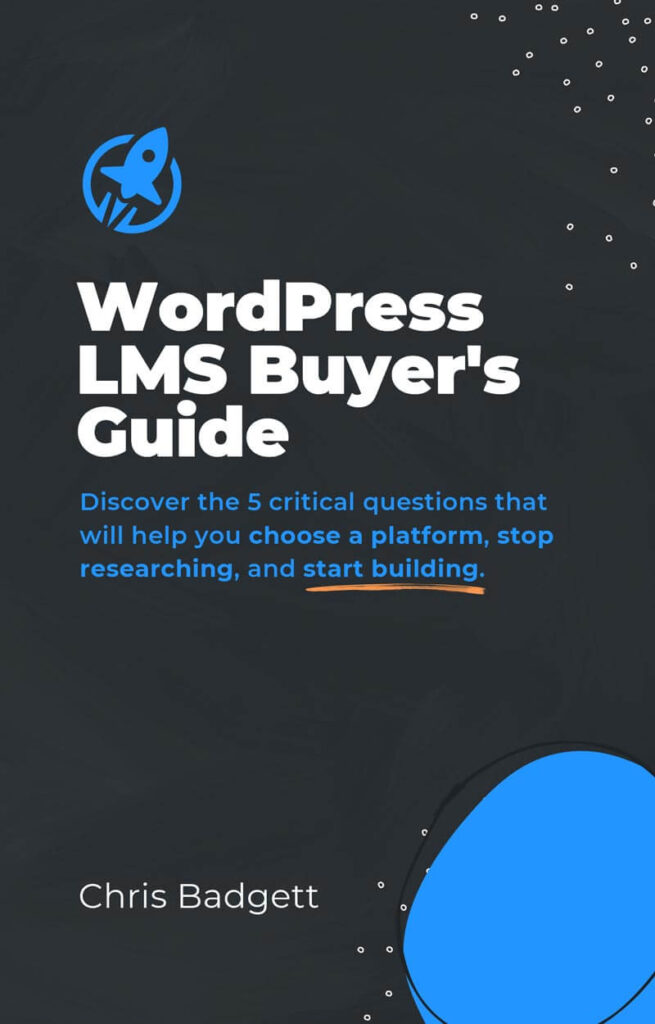
2025 WordPress LMS Buyer’s Guide
Exclusive Download! Stop wasting time and money researching online course and membership site tech.
Here’s Where To Go Next…
Get the Course Creator Starter Kit to help you (or your client) create, launch, and scale a high-value online learning website.
Also visit the creators of the LMScast podcast over at LifterLMS, the world’s leading most customizable learning management system software for WordPress. Create courses, coaching programs, online schools, and more with LifterLMS.
Browse more recent episodes of the LMScast podcast here or explore the entire back catalog since 2014.
And be sure to subscribe to get new podcast episodes delivered to your inbox every week.
Episode Transcript:
Chris Badgett: You’ve come to the right place if you’re looking to create, launch, and scale a high-value online training program. I’m your guide, Chris Badgett. I’m the co-founder of LifterLMS, the most powerful learning management system for WordPress. Stay to the end. I’ve got something special for you. Enjoy the show
Hello, and welcome back to another episode of LMScast. I’m joined by a special guest. It’s Shamir Khan from WPOS.ai, which is a super cool AI solution for having an operating layer on your WordPress site. It’s really cool because it’s actually happens inside the website, not somewhere else. But first, welcome to the show, Shahmir.
Shahmir Khan: Thank you so much for having me, Chris. I’m really excited for the podcast.
Chris Badgett: Awesome. The whole world is excited about AI right now, and everybody’s trying to figure out how to use it with WordPress. Tell us what you built with WPOS, which is at WPOS.ai.
Shahmir Khan: Yeah. What we call it is lovable in a nutshell for WordPress agencies.
So we are trying to build the experience of AI right inside WP admin. So like all of the heavy lifting, everything e- else happens on our host and it’s sandboxed environments that we provide for each website, and then it runs on your website directly. So you don’t have to worry about all of the connections and setting up a dev sandbox and things like that.
It just starts everything up for you, and then you– all you have to do is give it a prompt connect it to your tools and get started. It’s as simple as that. We are trying to get it connected to over a thousand applications where for example, if you are working with anything that is outside of WordPress, like Slack, Calendly, and tools like these.
So we have about a thousand integrations with those. So like you can get connected to all of your stack right inside WPOS, and then you can use the abilities that the W- WordPress 7.0 came out with. And like it, it uses it natively. For example, if we have LifterLMS installed on the website I believe it has some 60 abilities.
It will automatically register those abilities and you can just say “Go in and add these things to my LifterLMS, these courses to my LifterLMS dashboard,” and it will use those native abilities to get connected with that. So it connects both ways with int- integrations that are outside of WordPress, and then the abilities and the plug-ins that we have inside WordPress.
So like it can take something as simple as a brief and a PDF, and then build the whole website, getting data from all of your tools and like building it right inside WordPress natively with Gutenberg.
Chris Badgett: So am I understanding this correctly that instead of being outside your website on ChatGPT or Claude, you’re actually just running your business from inside your website- Yeah
using WPOS, whether you’re doing things in WordPress or doing something in MailChimp or- Yeah, totally … Calendly and Slack.
Shahmir Khan: Totally.
Chris Badgett: So- your website’s the center. It’s not something that you’re trying to connect to all these other… you are trying to connect it, but your website is the center of the conversation.
Shahmir Khan: Exactly. That is why we call WPOS plugin the command center. It gets connected to everything, and then you can easily get started with you don’t have to leave that window. You don’t have to leave that window either for Figma, for Google Stitch. Like, all of these tools, all of these amazing tools that you are using daily in your WordPress workflow and your overall website workflow, you can just use them right inside WordPress.
It’s a single source of truth, and everything gets connected to that.
Chris Badgett: That’s awesome. And you do have a $0 free trial. Can you tell us about that?
Shahmir Khan: Yeah. We have a free trial for one month that starts without you giving any card details or locking into a subscription. And we give out 5,000 free credits that you can use to build out at least a website.
That, that way you can get it to test it all of the tools and all of the plugins that can be integrated with it. And 5,000 is more than enough to build a website end to end.
Chris Badgett: So how do the credits work? I guess the more… It’s like instead of paying for premium ChatGPT or Claude, you can just do it all from your website.
You can do some stuff for free, and then once you- Yeah … start becoming a power user, you buy credits, but you don’t also have to buy credits at some other AI tool as well. Is that correct?
Shahmir Khan: Yeah. Yeah. And we are now working, as you might have seen ChatGPT and Claude both give options to let users sign in with their own accounts into applications that are built on the Agent SDK or these platforms s- similar to what we are using.
W- in future, there is a feature coming where users will be able to use their own ChatGPT and Claude accounts to use those credits so they don’t have to buy extra credits if they are already using one of these tool- one of these AI providers.
Chris Badgett: That’s awesome. And I know in my research, you identified a problem where a lot of people using AI are talking about speed and building a website quickly, but then there’s…
That’s just the starting line. There’s managing the site going forward. So how does- Yeah … how does WPOS approach that?
Shahmir Khan: Totally. We focus on the build part when the website is starting out. When someone is starting out to build a website, they can get it done within an hour, like on WordPress or off WordPress with AI now.
But the problem is the operations that come along, like on day 100 or day 1,000. You need to keep that website going. You need to make sure that everything, all of the operations are basically running smoothly. And for agencies specifically that, that turns out as, as you might have seen, that a lot of support tickets that are coming in from agency clients are basically small changes on the website, go and change this on that page and all of these things.
Agencies on average get hundreds of these every day. You can just point WPOS, you can connect it to let’s say your monday.com or your CR- CRM that you are using, and then it will take those support tickets and do those operations. That, that is the long-term goal that we are building towards, that people should be able to operate their websites, their e-commerce stores, their blogs right from WordPress without leaving it and making sure that everything is smooth.
Chris Badgett: That’s awesome. And I was reading one of your case studies where somebody needed like a custom CRM workflow. Yeah. Can you tell us what you… Is that integrating with an outside CRM or building a native one in WordPress? What happened there?
Shahmir Khan: Okay. The the, that case study is relating to a oil customer that we had.
So they wanted a website. They started building a website with WPS and then they realized that they could shift their whole customer support system onto it. They started building the website and after that they were using Zendesk basically, and they were paying thousands of dollars for their support system.
So like they, they gave access WPS to that Zendesk portal, and WPS had created all of that portal inside inside your, inside their WordPress. So they could control everything from a single plane, and they doing so, they also cut the Zendesk subscription and everything is, now runs on their WordPress for them.
And it also comes along with an AI agent that lets their customers handle… For example, if you are a customer, you can just go in and talk to their AI agent, which is connected to the WordPress website itself. So like all of the things are on a single source of truth.
Chris Badgett: That’s very cool. So when it comes to something like building a custom CRM, does that, does WPOS create like a custom CRM plugin for the site, or where does that code live and all that?
Shahmir Khan: Okay. So it is it functions much similar to how WP Code works and it can work via WP Code as well. So like it’s totally dependent on your preference. If you want it to be a separate plugin that you can install on the website, you can ask WPS to build it as a separate plugin, or it can extend WP codes functionalities with snippets and like we have internal widget system built in, so like it can use those things or it can even extend your theme and add those things inside that.
But what I suggest is to there are a lot of good plugins that that WPS connects to. For example, we have ACF, we have WP Code and all of these awesome plugins. We have Elementor. So like you can get playing with it and you will realize that you can you can build the complete CS- CM- CRM inside your own plugins that you already use.
So like you don’t have to be dependent on on a single plugin or things like that. But at the end of the day it, i- if there is a bare WordPress site with just WPS installed, it doesn’t need anything else. Like you can get it to build anything be it a CRM, a website, a edutech product or anything.
Like it can just build it with that single plugin. It doesn’t need anything, but it can integrate with all of these.
Chris Badgett: Tell us about skills. Does it come with some skills and how, especially for people that are new to skills, how should they think about them?
Shahmir Khan: Yeah. So skills are basically packaged prompts that could be repeatable.
So what we do is we sh- we ship about 15 skills inbuilt with WPS, and then you can go in and extend skills based on your workflow. So for example you did a Figma to Elementor conversion using WPS and it did it in a good way. You can ask it to convert that workflow into a skill and save it to your WPS account.
So every time you want to extend that Figma to Elementor workflow, you can just call that skill and it will know everything that it did in the first place. Because as you know with WordPress, a lot of nuances come in, like the first run is converted into the skill or you can even bring your own skills without any workflows.
So like it’s completely gullible for the users so like they can make sure that it is customized to their own experience.
Chris Badgett: Wow, that’s cool. And what are some of the other skills besides Figma to Elementor, like just for brainstorming?
Shahmir Khan: Yeah. We ship WPS with an inbuilt browser. So like it can go in and verify what it builds.
So like it is taking screenshots and it is filling forms and stuff like that. So we have a skill for that. It’s called browser research and like it can use that skill plus the browser environment that we have given it to. So like it can build the website, then it can go in and vet the whole website.
Basically the, the complete test suite is built into that browser research skill. And we have a lot of other skills. For example, we have a native Gutenberg skill where users can get started with just like WPS and Gutenberg and ask WPS to build a complete editable website in Gutenberg without using any dependency on another plugin or like block libraries or things like that.
And then that, that is also placed in a skill as, as Guten- native Gutenberg that you can use and get started to build websites.
Chris Badgett: Cool. And how does it work with themes? Like there’s classic themes, there’s full site editing themes. Some people with AI tools like just build their own theme. Like what do you recommend and w- what’s best with WPOS?
Shahmir Khan: Okay. When we started building WPOS, we knew that themes are like an integral part and first option was to just go in and build a child theme and then shove everything in that. But we didn’t do that. What WPOS does is it builds a, a widget and a block system inside the WordPress.
So when you have WPOS installed it will connect to Elementor, Divi, and Gutenberg. And if you build a single widget, it can be reused across those three builders, or like it can be extended to more as well. But these are the three that we natively support. So like it doesn’t depend on the theme.
You can have any theme that you want. You can have a classic theme, you can have a block theme. It will build on top of it. Like it it doesn’t mingle with the styles, it doesn’t correlate with other things that are going on with the theme. So like it, it creates that isolation layer on top of it, while still giving you the native editability and control over the website.
Chris Badgett: How about performance? Like sometimes people say something like, “Hey, my site is a little slow.” Could it talk to WPOS and get some advice?
Shahmir Khan: Yeah, totally. We have WPOS connected with Google PageSpeed Insights via API. So like it’s a built-in system where it will anal- go in and analyze the website from both ends from the code side and from the PageSpeed Insight report, and then it will bring you a report that these are the things that we need to fix.
And you don’t have to go in and fix those yourself. You can just say that you do these things for me. And it will go in, fix one thing, take the report again, and see if the score is going up. Like it it is something like how a developer would work in an iterative development process, where it will ta- take steps, verify it via the browser that we have inside of it, and then come back to the initial audit that it did.
And at the end of the day, it when you are doing page speed optimization, it does a pretty well job. It can get you to a very good score if you, if your website is struggling with that.
Chris Badgett: What about SEO? Like for example, I did something with AI recently ’cause our website’s 13 years old, and there’s probably 10,000 images and probably 90% of them did not have alt text.
Is that something you could do with WPOS to help you with your SEO?
This episode of LMScast is brought to you by Popup Maker, the most powerful and trusted popup solution for WordPress. Whether you’re selling online courses or building a membership site, Popup Maker helps you grow your email list, boost conversions, and engage your visitors with highly targeted customizable popups.
You can create smart popups for things like LifterLMS or WooCommerce cart abandonment recovery, upsells, course engagement, activation, targeted offers based on exactly what your students are doing inside LifterLMS. I personally use Popup Maker on all of our websites at LifterLMS for lead magnet opt-ins, cart abandonment, upsells, downsells, and guiding users to the right next step.
Popup Maker is essential for growing my email list and making more money through my website. Are you ready to take your website to the next level? Head on over to wppopupmaker.com/lmscast to save 15% off on your order. The discount automatically applies when you visit through that link. Popup Maker also has a free version, so you can start with that too.
So go to wppopupmaker.com/lmscast now to save 15% or sign up for the free plan, and start getting more leads, sales, and student engagement today. Now back to the show.
Shahmir Khan: Yeah, totally. We have a open source distribution called Agent SEO that we ship with WPS. It’s basically converting human first tools into AI native tools. So as top three SEO plugins that agencies use are Yoast, Rank Math, and All In One, and these three plugins, these are built for human first des- for human first interaction.
So what we did is we built a layer on top of these three plugins that can get connected to like either of them, and it turns them into AI native, and then WPS can use those three plugins, either one of them to extend your website’s SEO, do audits, or e- even if it’s a bare website, it can get you to a really good position.
We have some startups that have, from Pakistan, they are running WPS as the core technology and like they were bare websites, now they are ranked at a very good place. And all of the SEO, everything was handled by WPS. And like the fun part is those people are non-technical. They don’t know what SEO is.
They just need to get their website stacked. So WPS will go in, it will find everything that needs to be done, all of the keywords all of the AEO, GEO stuff that needs to be done. And once it completes audit, it will ask you some questions like where, what what are your thoughts on this? And once you hit approve, it will just go in and do all of your SEO work.
And it is not just limited to the first time it’s doing, so on a regular basis, as SEO is not just a one-time task it’s an ongoing operation. So like it can do it daily where it is writing blogs and making sure it is interlinking well in the whole website, building pillar pages, and then go, going in and doing the technical SEO.
So like the whole suite it works with all of the plugins that are there. And then on top of it, it does all of the work that needs to be done on site
Chris Badgett: I think you mentioned with the, the case study where there was a website and a custom CRM, that there’s like a a bot or something that can do customer support.
Shahmir Khan: Yeah.
Chris Badgett: Is that built, is that just with WPOS or how did the bot or customer support, how do you automate customer support on a website with WPOS in the picture?
Shahmir Khan: Yeah. It’s, that website is just using WPOS. Like it’s- Okay … Gutenberg and WPOS. WPOS will build a bot for you, and then like you can you can customize a CRM.
You can ask it that we need these details. These are the flows that we are using internally. For example, if you are using a CRM already, you can get it connected to that or ask it to fetch all of the details from your CRM and build it out inside WordPress. And then you can have it build the AI agent.
You can you can just pass it a Gemini key that it uses a- as the inference for that AI agent. It is like connecting all of the pieces and like w- making sure that you have an end-to-end experience for customer support if you’re, or if you’re wanting that. And it can be completely AI native.
Like the customers are coming in, talking to AI, AI is then going in, filing the tickets and then moving those tickets up your procedures as you would do it, and then like responding to customers. All of these things could be easily handled now.
Chris Badgett: That’s awesome. Let’s run through that again for a LMS use case, because one of the hottest things that people are trying to figure out is how to build an AI tutor.
So this would be, like, a bot that can interact with enrolled students.
Shahmir Khan: Yeah.
Chris Badgett: So it’s not always there, so it would need to, I don’t know, in an advanced use case, the agent would know oh, this is pre-sales, this is support, this is a- Yeah … tutor question. But like for a tutor, it needs to have the context of everything on the site- Exactly
which WPOS is already on the site and can see- Yeah … everything there.
Shahmir Khan: Yeah.
Chris Badgett: So I- So- I’m just asking you to describe it again for somebody who’s first using WPOS and they wanna build an AI tutor, how would they do that?
Shahmir Khan: Yeah. You can get started with WPOS ask it to audit your website and find out the places that an AI agent could fit properly.
Just like you said there are pre-sales then we have support, and then we have tutors and students, and all of these different user roles. So it will go in and it will build an AI agent that is context aware that it is running on the checkout page or it is running inside the tutor’s dashboard or it is running inside the student’s dashboard.
And based upon that, it will keep only that context which is needed, and it will be connected to the website. Whereas the tutor, let’s say, ask it to enroll it gives it gives the AI agent a list of users and ask them to enroll in, in their in their course, in the tutor’s course.
It can easily do that. So it’s- it’s totally dependent on the imagination. If w- what you just repeated to me if you put that similar thing in WPOS I hope you will get a much better result a working demo, a prototype that you can actually go in and test it out
Chris Badgett: That’s cool. Yeah, I’m definitely gonna play around with the AI tutor version.
You mentioned some AI technical terms that not everybody knows. You mentioned inference and like sometimes you might need to bring a Gemini key or whatever. Can you explain like what that– Just elaborate on what all that means.
Shahmir Khan: Yeah. WPS we are an inference provider. Inference is basically the AI usage.
So if you are using Anthropic like if you are using Cloud code, then the inference provider is Anthropic in that case. So inference if you want AI agents that are customer facing, so WPS won’t let you extend its own inference to those people. You will need to bring your own inference where you will– you, you are attaching it to a Gemini API key and it’s a free API key.
And then building customer facing agents on top of it. And if you are building agents that are admin facing, those could be extended with WPS. So if a user is logged in let’s say a tutor, they have access to the WP admin dashboard, they can get a, a certain level of access to WPS to carry out these tasks.
And the second way is to bring your own inference where you will give it a API key from Google AI Studio. You can go to Google AI Studio, grab an API key for free. You can just hit copy and give that API key back to WPS, and it will build all of those AI agents that are customer facing that are on the customer side of your website.
And it will build all of those connected to your website. So like all of the context is there, all of the da-data that it needs is there. Just the inference part is being used by Gemini or any other AI provider that you like.
Chris Badgett: That is awesome. What do you see in the future? There’s all this conversation around, oh, websites are going away.
In my opinion, they’re not. Humans will always need websites, and you need like a system of record for content and all kinds of stuff.
Shahmir Khan: Yeah.
Chris Badgett: But AI agents are, like, more than half of web traffic these days.
Shahmir Khan: Yeah.
Chris Badgett: But so there’s all this stuff, and the world is changing really fast. I think, WordPress, we all love it, especially if we’ve used it a long time.
And if you install a lot of plug-ins and things, there’s like a million settings and options.
Shahmir Khan: Yeah.
Chris Badgett: And being able to just talk to your website using WPOS helps people do things without knowing where to click, looking at documentation, being a developer or whatever. Yeah. What do you see? Like, where are we going in the future with AI and WordPress and sites?
Shahmir Khan: Yeah. As you have said, websites needs to stay, but their consumer is being changed. F- before 2025, the consumer was, like most part was humans who were visiting and interacting the web- with the website. I believe now we should be building for the agents.
If you are building a website, then you should be able to build it for the agents. Just as you would thought you w- you will think about a human consumer, you should think about a AI agent as a consumer as well. Because n- now you know that AI agents have their own credit cards and, like, all of these things, they can go in and buy things as well.
That, that would be the first thing. Websites are here t- to stay because we n- we need a medium of transport for for talking to businesses and website is just that. A website carries out, like I, I can put up a website and people can come in and talk to me. That, that is the most straightforward way to describe a website.
And that, that has to stay. If we are talking about WordPress, so as people can now spin up a website within minutes with Astro But it’s not backed by a CMS. You can build a really good website inside Lovable, but you don’t have a CMS. You are locked into that system. But with WordPress, it’s not that.
WordPress has always been its people and the freedom that it brings to the people. So like you can build a complete website, you can host it wherever you want and with AI, with tools like WPUS and all of the other tools that we have out here, these can get you up to the pace of AI, but WordPress is here to stay.
We’re like all of this, all of the things are going to be safe. Even I see people f- that, that are p- prototyping right now on Lovable instead of Figma and these tools, and then bringing those Lovable websites into WordPress because maintaining those websites on Lovable or tools like that on the long run it’s not feasible because we don’t have a content management system.
As you said, we don’t have a record system where everything is recorded, right? So I think that is where WordPress is going. We need to build solutions that are not just built for humans, but built for AI agents as well, like as the consumer. That would be my take.
Chris Badgett: This episode of LMScast is brought to you by WP Fusion, the powerful WordPress software that connects your website to your CRM and marketing automation platform, whether that’s HubSpot, Salesforce, ActiveCampaign, GoHighLevel, and many, many more. If you’re selling online courses, memberships, coaching, digital products, and more, WP Fusion turns your WordPress website into a smarter, more personalized, and more automated online business.
With deep integration into LifterLMS, WooCommerce, the popular form plug-ins, and many more top WordPress tools, WP Fusion lets you automatically create and tag contacts, unlock course and membership access, track student progress, recover abandoned carts, and trigger powerful automations based on what your users are actually doing on your LMS website.
We use WP Fusion ourselves on our LifterLMS website, which is powered by WooCommerce for selling software subscriptions, but we also use WP Fusion on the LifterLMS Academy, where we are selling access to courses and memberships powered, of course, by LifterLMS. WP Fusion connects our websites and CRM seamlessly together so that we can create a better customer journey, deliver the right offers, and automate follow-up based on user behavior.
If you wanna sell more, personalize the learning experience, and build a more connected, automated online business, check out WP Fusion today. Go to wpfusion.com and use the coupon code LifterLMS to save 15%. Now back to the show.
That’s awesome. You originally launched as WP Cursor.
Why did you change the name? What’s the story there?
Shahmir Khan: Yeah. When when we were starting out, I was doing delivery operations at a enterprise WordPress agency, and I was, like, fed up with everything because I have been, I had been using Cursor and Claude Code and all of these tools, and website building or really anything if you wanted to build, it was really fast.
But as the deli- as the person who is managing delivery at a WordPress agency, I was seeing that we didn’t have that in WordPress. So I posted on Reddit that I want to build a cursor for WordPress. That, that is, that, that is what we started with, and people started calling it out as WP Cursor. We didn’t want to spend any further time finding out a perfect name.
We wanted to jump in and get started building it, and we had some really good, cool people from that early community. And then once we went, once we had, had a really good product that was working inside WordPress and everything was working, then we, th- then we thought about we need to change this name.
We can’t be doing two trademarks at once go- going after WP and plus then we have the Cursor trademark as well. It’s a similar products. That’s why we sh- shifted from WP OS to sorry, WP Cursor to WP OS AI. WP OS AI means that it is a AI native operating system for WordPress, WP OS.
And the idea behind it is that it is not just limited to the website building. It takes upon tools that are outside of WordPress, that are like something like Calendly or Mailchimp that you are using. For example, if you give your Claude Code, if you ask your Claude Code to go in and do some settings in Mailchimp, it will do them, but it doesn’t have that record of the website, like how people are interacting with the website and, like, all of those things.
So when you ask WP OS to do it, it will correlate all of those d- things, all of those data points, and then it will connect to those tools. So that is the idea behind OS, that it is connected to the whole ecosystem. Yeah.
Chris Badgett: It’s cool.
Shahmir Khan: And a fun fact we didn’t started building out as the AI- AI OS for WordPress.
What we started out was a really simple question, like what is the smallest unit of problem that we could solve in WordPress? And after much research, it was the white screen of death, the critical error page that comes on WordPress. So we started building out for that and we spent some time on it about a month or two and we had a pretty good product in that.
But what we came to realize is that like se- more than 70% of the WordPress websites, they are not hosted on VPS or like infrastructure where AI agents could run natively. And once PHP goes down, when Wo- WordPress goes down, it takes everything with it. You can’t log into your admin dashboard or things like that.
So that was the first problem that we set out to like fix with WPCursor. But over the time as we talked with agencies and users and all of the people in, all of the s- cool people in the ecosystem we realized that it is not just limited to fixing websites. Like we can get this thing to operate and build websites.
So like that was the moment of epip- epiphany. As it’s not single moment of epiphany, but that is where we started and then we shifted to WPOS and where we are today.
Chris Badgett: That’s awesome. When, for like a, a regular AI user, there’s a challenge of memory and context. Like you start a new thread in ChatGPT and it’s almost like you’re starting over.
Yeah. How does WPOS maintain context or use memory and things like that to have good context?
Shahmir Khan: Okay. First thing is the persistent memory that is like chat level. So if you are si- similar as ChatGPT or any other AI tool, then we have a system called Playbook. So that Playbook logs everything from day one to d- day 100 or any, any day you are building it.
It logs everything that you are doing on the website. It logs what brand you have, what audience you have who are the people that you are selling to, and then like all of the technical decisions that you have made throughout the way. So like it’s a complete brain for the system. So every new chat that you start it will have that access to the Playbook, and it can use your site Playbook plus the skills you have to maintain like a coherent memory across chats.
So like it doesn’t show up what do I need to do for you today without any other memory. So like it, it keeps the memory and we have seen one really good thing. That is once you start building a website and operating it with WPS, first it’s reactive to your prompts. So like you will ask it, “I need to add a blog,” or, “I need to do SEO for this page,” or, “I need to add a landing page.”
But once like you have run with it for for a month or so it will start like when you open up WPS, it will start giving you suggestions that you need to do this, you need to do that. So it becomes a proactive system because of that Playbook and the persistent memory because it keeps notes of everything and it knows where this website is going, who we need to sell to and all of these things.
Chris Badgett: That is awesome. Yeah. Switching gears a little bit, just a little bit about you. I’m always impressed when somebody like when you were 14 you got your first paying client.
Shahmir Khan: Yeah.
Chris Badgett: You built up an agency Pixel Labs, is that it?
Shahmir Khan: Yeah.
Chris Badgett: And then now you’re on the cutting edge of AI and WordPress and user experience and all that.
I imagine you might be self-taught?
Shahmir Khan: Yeah, most, for the most part. I s- I started coding when I was about 11. And after that, curiosity led me to places that without curiosity and without self-learning, I could not have achieved. And when I was about in 10th grade I dropped out and I started homeschooling in a sense.
And after that we just g- went all in on products and agencies. WordPress was the first tool ever that I interacted with in the web space. And after that, I love I fell in love with the web side of it. And after that, we have built many products. I ran the Pixel Labs.
It was an agency where we shipped bespoke plug-ins for agencies and startups. So it was not plug-ins that are available on the public repository, but plug-ins that are specifically built for a specific set of instructions that are running inside an agency. We did that for about two years, and then me and my brother we ran Triox LLC.
It was based in US. And it was me and my brother, same it, we are co-founders in WPUS now. So like we have a long working history together. And we shipped about 150 solutions for SMBs and different kind of agencies. So like WordPress was really at the center of everything, but everything changed when I started building.
If you go into my LinkedIn, you will see there is a product called Reachwise that we ju- did for just six months. It was basically a MarTech product where we integrated like all of the marketing tools into one. And I got to learn that this automation process, it is not just limited to one, one step.
We can go much more than a single step, and we can build a whole pipeline. And based on those things, like we started building the idea towards WPUS and like all of these tools that we are building right now. So it’s a really gradual progression. I have been working professionally for about last seven years, and it’s it’s all around WordPress.
So like I, I really love WordPress, yeah.
Chris Badgett: That’s awesome. I’m I’m also a big fan of partnerships. So you said you work with your brother. I’m just curious, how do you divide or what are the different strengths that you bring, that he brings and so on?
Shahmir Khan: Yeah. He has been building landing pages and conversion rate optimization.
So he is the UI/UX spine of our product. He’s the CX, so chief experience officer. He makes sure that the experience that our product provides and the end result, for example, it is building a website, the experience of that. These things are, like, all, all his turf. And the technical side I am really good on the technical side from the start.
I am a CTO type person, CTO and CEO type person. I handle the business and the technical side of the product and the engineering side of the product, and he handles the customers and the experience side of the product.
Chris Badgett: One of the challenges we have today, which I’m sure you can relate to, is there’s so much going on with AI and all these new tools and learning and everything.
How do you, while running a business just keep learning yourself? I’m sure you learn as you go, but, like, how do you keep up and have fun and not explode?
Shahmir Khan: This is fun. WPS… Yeah. So basically our whole day revolves around building new and cool stuff. I am very much into IoT as well, and we are we are building a bot.
Like it’s like a small bot that you can just place on your desk, and it it handles your WordPress website for you. Things like these, the … It is still connected to WPS, and it is not something that we are building for consumers or customers. It is something that we are building for our own fun and something that we interact with on a daily basis.
Things like these, it they lead me to learn new stuff outside of WPS by, while still being inside it. Our whole life revolves around it, me and my brothers. And we have five other people on our team, and all of those people are, like, working with us for past five years.
So every one of us is really close and we are working on new things every other day. WPS is just a part of the whole the whole suite that we are trying to build. Yeah. For example we are building we are building a backpacking app for Pakistan. People who are coming from all around the world and they want to experience the the really native experience of Pakistan.
Like there is a filtered experience of Pakistan, and then there is a native experience. So we are building a hospitality product that is like completely out of scope. It’s not related to AI, it’s not related to WordPress. It’s just a separate thing that is running on its own. And like it’s an experience.
We get to meet people, we get to interact with people and we get to learn a lot of stuff from them
Chris Badgett: That’s awesome. Switching back to WPOS and technical stuff, one of the things that really fascinates me with AI, over time, it gets better, but it also gets more proactive and will like, you’ll do something and it’ll be like, “Hey, now that you’ve done this, do you wanna do this?”
Yeah. And “Oh yeah, I didn’t think about that. That’d be great.”
Shahmir Khan: Yeah.
Chris Badgett: But when it comes to a website, there’s so many opportunities to be proactive. Like on a learning management website, let’s say a student fails a quiz, the tutor could pop right up or- Yeah … with some recommendations or something.
But like- Yeah … how can you be proactive with WPOS? I’m thinking of some other examples like, “Hey, your your plugins are out of date. There was a security release,” this and that. “Do you want me to just update everything, and going forward just keep it all up to date?” Or something like that. How do you- Yeah
how do you be proactive with WPOS?
Shahmir Khan: A, a really good example that comes to my mind is like you connect your Google Search Console, you g- you connect your Google Analytics, and if you’re using PostHog or something like that, you connect these tools to WPOS and every day you come in to operate your website.
It goes and it finds out all of the new analytics that you have across these platforms. And then based off those, it can give you new frontiers that you can unlock. For example, it will ask you, “Let’s put up this pillar page. We have like search impressions coming in, but we don’t have a place to convert those something, s- search impressions.”
So this is some- a sample of how it proactively works. And same goes into like every every field. For example, LMS there, there are students that are constantly failing on a specific sub part of your course. It can go in and see the behavior of the users, see the behavior of your course with the users, and then give you recommendations that you need to fix this part.
This is the part that customers are being lost in. Or something like if you run an e-commerce store and you have a lot of abandoned carts. So like it can get connected to that, and it can see why you have a lot of abandoned carts. It can audit that across your tools that you’re using to monitor your website.
And the website itself as well. So a- as we discussed, it’s connected to both. And then it can g- bring you recommendations based on that, that this is the problem that we need to fix today to stop these carts from being abandoned or things like that. Or if you have 500 people who placed a order in a cart and never checked out, it can even go in and run a complete- outreach sequence from WPS if you would say that.
Yeah. Like what I did in the start was we were trying to find some agencies for our agency partner program. I logged into WPS every day. I asked it to research agencies that would be like interested in using WPS. So like it, a- as it has its own browser, it will go in and find agencies, and then it can audit those websites for me.
For example, there is an agency that runs five websites. So like it can go in and audit those five websites for me and then bring me a website. You need to rebuild this website and send the, send it over to that agency, and then they will be converted. So like it this is something that is related to marketing.
And it is not related to running a WordPress website or thing like that, things like that. It is related to running an agency. So it goes in and does those things as well. Like it will keep surprising you on what it can do. It still does surprise me every day when I’m like interacting with it because it is bringing all of these new things based on all of those data points.
As humans, we tend to miss data points. Like we can… We are really good with anecdotes, but we are not really good with analyzing a whole bunch of data. But AI is good with that. So it brings us anecdotes and then we react upon them
Chris Badgett: It was a big game changer for me. Like you’re saying, once you start connecting what you’re trying to do on your website with Google Analytics or Google- Yeah
Search Console, that’s like, if, that’s definitely one of the first things I recommend people-
Shahmir Khan: Yeah …
Chris Badgett: integrate. And having your website be the center instead of you, the human, who can’t process big amounts of data it’s super cool. And for the people that are newer to AI, there’s this concept of loops.
Can you explain a loop and can WPOS do loops? Like for example, you mentioned like this daily report of hey, what happened on your website plus recommendations and so on.
Shahmir Khan: Yeah. So loops are basically tasks that are set up upon a scheduled time. We are working on it right now. We had scheduled tasks released in WPS, but we pulled it out because there were a lot of security things that were going on with it.
We are working on it the scheduled tasks part where you can like do, do this Google Analytics part. You can connect all of these tools and you can ask it to run it at 9:00 PM every day. So like it pulls up all of the records and it gives you recommendations based on that.
But as of now, we have made sure that it is a human operator led. So human has to a human operator has to go in and start the process. After that it’s autonomous. It runs basically in a loop. You don’t need to touch it very much. I have built a small demo for you. I’ll I hope we can share screen, Yeah
or this is an audio only?
Chris Badgett: You can share screen. Okay … and so if you’re listening to this on go ahead and see if you can load the screen at the bottom and then I can add it to the stage. Okay. But if you’re listening to this on the podcast go check out the YouTube version of this to s- see what Shamir is sharing with us.
So I’ve got your screen on the stage. Just… There we go.
Shahmir Khan: Okay. Great. I went on your LinkedIn, and I extracted it as a PDF. And I asked it to research and build a highly immersive website for Chris. So like- Yeah … this was my first prompt. After that it went in, and it did all of the audit.
It researched a lot of things about you, and then it asked me four questions. What should be the goal? What should be the style of the web- website? What should, Like, where should the photos come from, and what is the s- scope of the build? And after that this was in the form of questions.
And after that, as you can see it went in, and it built all of the website, and it gave me this link to test it out. So it is built with just WPOS. I’ll show you that as well. I hope you don’t have… Yeah. It’s built just with WPOS, and the website is this.
Chris Badgett: So this is a WordPress plugin.
Or it’s a WordPress website with one plugin installed, WPOS. Yeah.
Shahmir Khan: Yeah.
Chris Badgett: And there… Is there a theme?
Shahmir Khan: Yeah. It’s running on the it is running on the 2025 theme, I believe. Yeah. It’s running on the- So
Chris Badgett: like the default WordPress theme.
Shahmir Khan: Yeah. Yeah.
Chris Badgett: All with just one plugin, WPOS. Exactly. That’s really cool.
Yeah.
Shahmir Khan: Exactly. And th- this is built completely off how it is it’s, it took data from the internet, and it took data from that profile I got from LinkedIn, and I asked it to build me a really immersive website. So it is it has done its research, and it has built…
I am, I’m seeing the website for the first time as well because when we started the podcast, I gave it the go ahead to build it, and this is the first time that I’m seeing it as well. And it did a pretty fair job. As you can see, it built a complete timeline. Yeah. It lists me as well.
And then you can see it’s a really immersive experience where you can go in and see the website. For example, you see this. This is something like of course AI agents can build it, but being on WordPress and without any other things installed it’s just bare Gutenberg.
Chris Badgett: Wow.
Shahmir Khan: It’s as you can see. And all of this comes with native editability control as well. So like you can go in and edit anything that you want. And like it’s it did a pretty good job, I believe on building the website. So it can do things like this. And like while we are here why not I jump in and show you some of the other things around.
So like that is the– that this is the main command center. That is what we call it. You can add chats and things like that. And then after that you have playbook. For example, all of the here you see it gave me four suggestions after building the website that you need to review these in playbook.
Like these are all of the decisions. For example, as you can see, these are lessons, add to lesson. So like it is, it add to brand, add to decision. So like it is making decisions and design choices and things like that as it is going. And then for example, we have a branding kit system.
These are the connectors that we were talking about earlier. So here you see you can get it connected to Calendly, Canva, or even if you want to get it connected to your hosting accounts, you can go do that. You can connect it to Figma. You can pull design in from Google Stitch. And you can also get it connected to Canva and stuff like that get data from that design data.
And then these are the native abilities. Wait, I’ll show you the native abilities with LifterLMS turned on. Okay, so here we have the abilities. As you see it is installed with LifterLMS. So like it, it automatically activated all of these LifterLMS abilities like award certificate, create access plan, and things like these.
So it will al- automatically pick up all of the plugins that you have installed and register their abilities for you. And then we have, Oh, yeah, we have skills. Here you can add in your own skills and all of these skills are inbuilt that you can get started using.
You can just click on the plus button and use a skill. So like browser research or any other skills that you want used in that chat those could be done. So like this, this is the product in a nutshell. We have tried to make sure the experience is like as clean as a- and as simple as it can be for the user.
But it it, it– we make sure that it is robust enough to be able to carry everything that the u- that award push user would need.
Chris Badgett: Wow. That, I’m impressed. You must have been reading my mind because right before this call I was thinking I need to rebuild chrisbadgett.com. It’s just my… It’s just a brochure site.
There’s not much on it. But I’m definitely gonna- Yeah I’d
Shahmir Khan: love to give you this, this starting point. I’d love to share access with you, and you can go in
Chris Badgett: and make it yours. Yeah, I’m definitely gonna try it out. And yeah, this… what you showed me is, that just blew my mind, and that is so cool.
Very well done. Very w- very well done.
Shahmir Khan: Thank
Chris Badgett: you so much. Thank you so much. And I’m, I personally am gonna play with WPOS on my my name, domain name website and just see what, s- play around with it. It’s, I can see, like, all the customer experience stuff you’re doing in there. It just, like, when I saw that, it all just made sense.
It- Yeah … even though it’s complicated and powerful and, can do a million things it just… and to one-shot a website like that or very quickly is really impressive. That’s awesome, Shamir. Thank you for the great demo. This has been an a great conversation.
I really love your energy. I can feel the passion and the enthusiasm and the excitement, and it shows in the product. So for those of you out there watching and listening Shamir, what’s the best way for people to get started? And if this is their first, rodeo with a, a more advanced AI setup what should they do first?
Once they get it connected.
Shahmir Khan: Yeah. If you head to WPOS and sign up you can get started with sandboxes. You don’t need a ready-to-go WordPress website. So you can pull up a sandbox, a fresh sandbox, and ask it to rebuild your own website. That, that would be a really good starting point or to…
or something similar. And get it to build something for you so you can see how it works end to end. And after that you just need to get started experimenting with it. You can go in and connect your tools and pull up all of the context history from all of your other tools and give it a experimental go.
That, that would be my suggestion that you just get started with a fresh website and try WPOS out. It also works really well with websites that are already built. So for example, if you have a website that is already built and you want WPOS to use those design dimensions and things like that, you can just drop the plugin into your own website and it will start working.
Chris Badgett: That’s awesome. Shamir, this has been excellent. For you out there listening and watching, go try WPOS. You can get started for free. And thank you for coming on the show, and thank you for just being a shining example of somebody who’s helping shepherd everybody else forward into the future of AI and WordPress.
It’s it’s an honor to have this chat with you. Thank you so much.
Shahmir Khan: Likewise. Thank you so much, Chris. It was a really nice conversation, and I look forward to talking more. Thank you so much. Have a nice day
Chris Badgett: And that’s a wrap for this episode of LMScast. Did you enjoy that episode? Tell your friends and be sure to subscribe so you don’t miss the next episode. And I’ve got a gift for you over at LifterLMS.com/gift. Go to LifterLMS.com/gift. Keep learning, keep taking action, and I’ll see you in the next episode.
2025 WordPress LMS Buyer’s Guide
Exclusive Download! Stop wasting time and money researching online course and membership site tech.